My Content Team Is a WhatsApp Group: How SocialKit Automates Short-Form Video
How SocialKit finds trends, clips live streams, makes AI shorts and posts to four platforms, and why every step that costs money or goes public still waits for my yes.
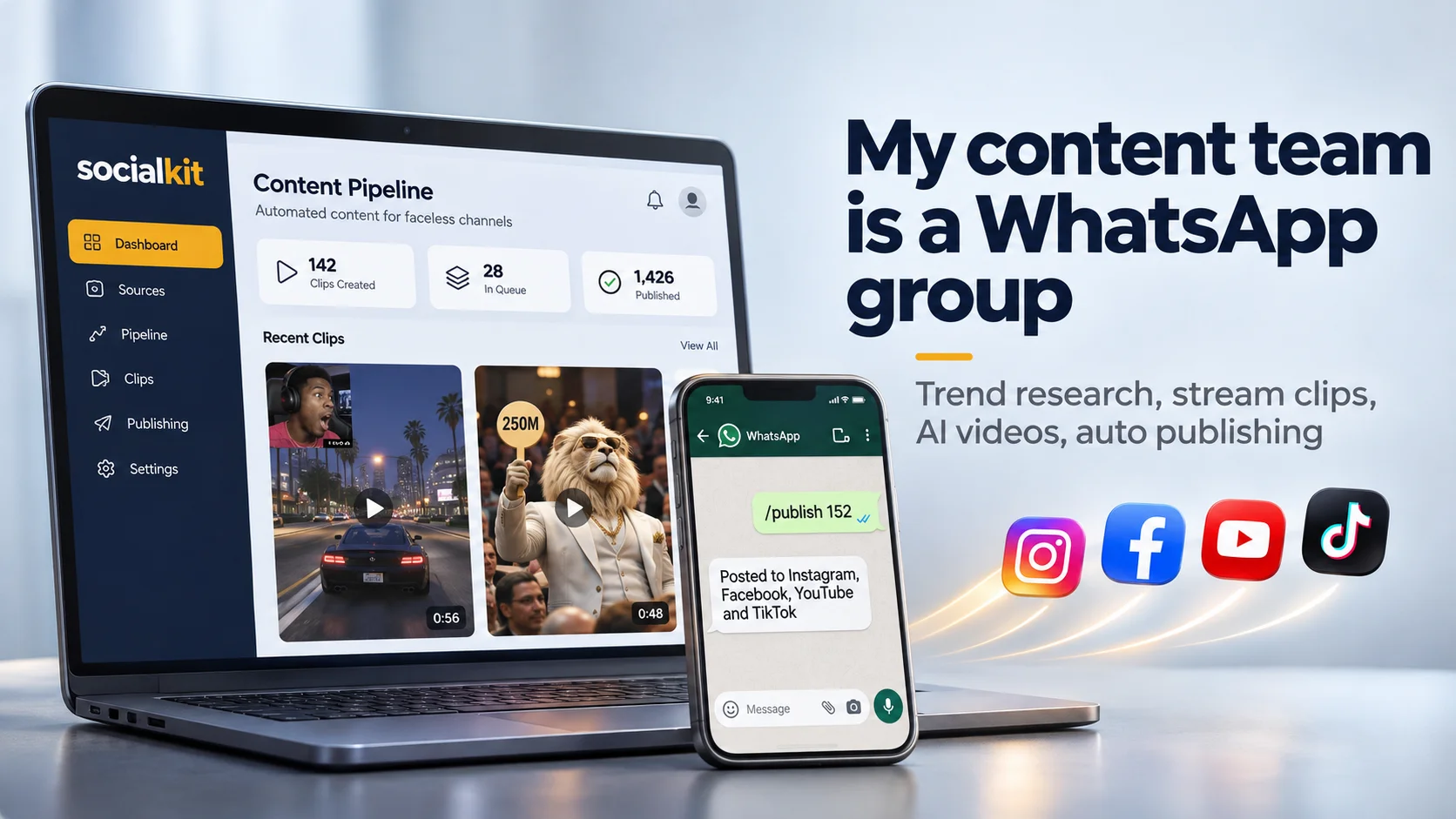
Most of the work in short-form content isn’t editing. It’s watching.
You watch which videos are taking off in your niche. You watch a four-hour stream for the ten seconds worth cutting. You watch four upload screens, one per platform, and paste the same caption into each.
I wanted to stop watching. So I wrote SocialKit, a system that does the watching and asks me one question at a time on WhatsApp. This is how it works, what I got wrong, and the two decisions I would make again.
A 100-second walkthrough of the dashboard. Watch it on YouTube.
The shape of it
SocialKit has four stages, and each one feeds the next:
- Research: find what is working right now.
- Clipping: cut live streams into vertical shorts.
- AI studio: turn an idea into a short made with AI video.
- Publishing: review, caption, and post to Instagram, Facebook, YouTube and TikTok.
All four are controlled from a web dashboard, from a WhatsApp bot, and from an MCP server that AI agents can call.
1. Research: raw views lie
The scrapers read Instagram Reels, TikTok and YouTube Shorts from public, logged-out pages. Requests go through rotating proxies, and a blocked request is retried on a different one. Logged out means there are no accounts to get banned. The cost is a proxy bill and less data per request.
A daily scan pulls recent videos for the keywords and accounts I track. The useful part is the scoring. A video with 200k views is a flop on an account that usually gets 5 million, and a strong signal on an account that usually gets 20k. So every video is scored against its own account’s median views:
- Outlier score: views divided by the account’s median. A score of 3.0 means the video did three times the account’s normal.
- Velocity score: views per day divided by the same median, so a strong two-day-old video can beat a month-old one.
The scan ranks in two passes. The first pass ranks on outlier score, which needs no post date. The second fills in post dates for the top results and re-ranks them on velocity. The outlier score finds formats that beat their account’s normal. The velocity score finds them while they are still climbing, which is when copying a format is still worth it.
2. Clipping: let the chat tell you when
SocialKit follows streamers on YouTube, Twitch and Kick, free and logged out. When one goes live, it counts chat messages in 10-second windows. A window counts as a burst when it holds at least 2.5 times the median of the previous 30 windows, and at least 15 messages. Chat arrives late, so a window is only judged after a short delay, and bursts too close together count once.
A burst means something happened on screen. SocialKit cuts a clip around it and renders it at 9:16. In the split layout the streamer’s facecam sits in a band across the top and the gameplay fills the rest. I mark the facecam box once per streamer; without one, it falls back to a plain crop.
For moments the chat doesn’t flag, there is /find. I describe a moment in plain words, for example “GTA 6 bridge jump”, and Claude looks through the stream’s thumbnails for the match.
What broke. Choosing moments has two modes. In the full mode, Claude picks every clip and writes its copy in the same call, for about one cent a clip. I also built a lean mode that picks moments from transcript signals alone, bursts of fast speech and reaction words, and calls Claude only once a clip is approved. It was cheaper per call. When I tested it on a real stream, it picked game cutscene dialogue over the streamer’s reactions. Fast speech is fast speech, whether it comes from the streamer or the game. So the full mode is the default, with a daily Claude budget of two dollars.
The lesson: signals tell you when something happened. They can’t tell you whether it’s worth watching.
3. AI studio: the agent never writes the prompt
The studio makes original shorts with Kling. The ones I make follow the Sheru Bhai trend, an existing AI video trend made by many creators, plus Dadi Amma, a character of my own. The flow runs as commands:
/ideas → /pick → /plan → /revise → /generate
Claude suggests ideas and writes a plan. The plan shows me every shot’s prompt and what it will cost, and nothing is generated until I approve it. After approval, Claude Code runs in the background and sends the shots to Kling over MCP. SocialKit joins the finished shots, adds captions and sends the short to review.
The decision I care most about here: the agent never writes a Kling prompt. SocialKit builds every prompt from the approved plan. The background Claude Code run is told to submit each job with exactly the model and arguments it is handed, without changing a word. It may call only six tools, three of SocialKit’s and three of Kling’s. Approving a plan is not one of them, so a background run can never approve or invent a generation.
I made that call for three reasons:
- The prompt is where both the cost and the character’s look are decided. Building it from a template keeps a character looking the same from shot to shot.
- A bad shot can be reproduced, because the same plan always gives the same prompt.
- There is a daily cap of 300 Kling credits, so a confused agent can’t spend a week’s budget in one evening.
4. Publishing: one command, four platforms
Finished clips and AI shorts land in a review queue. I approve one, Claude writes the caption and hashtags, and /publish posts it to Instagram, Facebook, YouTube and TikTok.
The publisher paces itself. It posts at most three times per platform per day, at least two hours apart on each platform, with some random extra on top. Clips from streams get a Credit: <streamer> line in the description by default. Schedules handle the recurring jobs, such as the daily scan.
Why WhatsApp
A dashboard I have to remember to open is a dashboard I forget. WhatsApp is already open all day.
The bot runs on OpenWA behind an HMAC-signed webhook. It has commands for every stage:
- Review:
/queue,/accept,/decline,/preview - Posting:
/caption,/publish,/posts,/download - Streams:
/streamers,/live,/find - System:
/run,/topics,/stop,/settings,/status,/health,/usage
For anything else there is @claude with free text. It runs on a small, cheap model and steps up to a larger one when it gets stuck. The same tools are exposed through an MCP server, so an AI agent can drive SocialKit the same way I do from my phone.
The two decisions I would make again
- There is a human gate on every step that costs money or goes public. Generating video and posting are the two actions you can’t take back. Everything before them can be automated without much risk. Those two wait for a yes.
- Code owns the side effects and the model owns the judgment. The model picks ideas, finds scenes and writes captions. Code builds the prompts, counts the credits and calls the platform APIs. When something goes wrong, I know which half to look at.
What it doesn’t do
- Logged-out scrapers break when a platform changes its pages. Fixing them is ongoing maintenance, not a one-time job.
- Chat-burst detection needs an active chat. A small stream with a quiet chat gives it little to work with, which is what
/findis for. - Platform rules still apply. A TikTok app that hasn’t passed TikTok’s audit can only post privately, and an unverified Google project can only upload private YouTube videos.
- I still review every post. Approving takes seconds now, and I want to keep it that way.
The question I keep coming back to
Which part of the pipeline would you keep manual, even if a tool could automate it? For me it’s the final yes before anything goes public. I’m curious where other people draw that line.